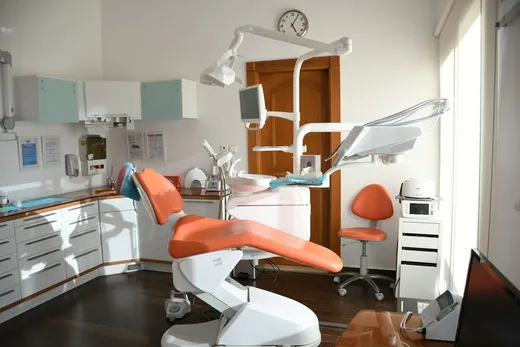
“Clinic software” covers a lot of ground, from full medical record systems that print prescriptions and track drug stock, to a simple booking page where patients pick their own time. So many clinic owners buy a big system and use one part of it, or use a small one that misses the part they need most.
This guide splits a clinic’s work into parts and shows which kind of tool fits each. It applies to dental clinics, aesthetic clinics, physiotherapy and small general clinics alike, and is written with clinics in Thailand in mind.
A clinic’s work has two sides
The front desk: everything around the patient before and after the treatment room.
- booking, moving and cancelling appointments
- reminders, and checking the patient is coming
- follow-ups: a scale and polish every 6 months, the next laser session
- selling treatment courses and counting sessions used
- looking after regulars: points, birthday coupons
- the waiting room
Treatment and back office: the medical and money side.
- medical records (OPD card or EMR): history, results, treatment plans
- prescriptions, drug and supply stock
- receipts, doctor fees (DF), financial reports
- before-and-after photos, treatment consent forms
The two sides need different tools, and this is where many clinics choose wrongly.
Clinic management system vs booking and customer system
| Clinic management system | Booking and customer system | |
|---|---|---|
| Main job | Medical records, drugs, stock, money | Appointments, reminders, visit history, courses, loyalty |
| Who uses it | Doctors, dentists, assistants, pharmacy, accounts | Front desk, assistants, the owner, and patients themselves |
| What patients see | Usually nothing | A booking page, confirmations and reminders in LINE |
| Setup | Takes time, often with someone to install and train | Set up yourself in a day |
| Cost | Varies; often aimed at larger clinics | From free to a modest monthly fee |
Clinics that need a clinic management system keep structured medical records, dispense their own drugs, hold a lot of stock, or have several doctors on DF.
Clinics that gain most from a booking system have their problems at the front: too many chats to answer, no-shows, forgotten follow-ups, courses counted in a notebook.
Many clinics use both: a management system for treatment, and a booking system for patients. One system doesn’t have to do everything, and you don’t have to pay for a big one if what you need is the front desk.
What a clinic needs from a booking system
1. Appointments by doctor, chair or room
Dental clinics book by dentist and chair. Aesthetic clinics book by doctor, laser machine or treatment room. A good system lets you say who can do each service and how many patients can be seen at once, and shows free times to match.
Check: can patients choose their doctor, and can you switch that off if you’d rather assign them?
2. Reminders, and knowing who’s coming
An empty hour in a clinic is lost income plus a doctor’s time. Reminders the day before and on the day, with a button for the patient to confirm, help a lot (the full method is in how to stop no-shows).
3. Follow-ups
So much clinic work continues over time: braces, scale and polish, repeat fillers, laser courses. What works best is booking the next visit before the patient leaves, at the desk, and letting the system confirm and remind. For patients who didn’t book ahead, look at the list of people you haven’t seen for a while and reach out.
4. Treatment courses and session counting
Aesthetic clinics sell “10 laser sessions” or “5 treatments”. The system should count sessions from real appointments, give a session back when an appointment is cancelled, and tell the patient before the course expires. Counting in a notebook or on a paper card tends to end in a disagreement about how many are left.
5. Looking after regulars
Stamp cards, birthday coupons and “we miss you” coupons for people who haven’t been in for a while work well for aesthetic and dental clinics with ongoing care (see loyalty and membership systems).
6. The waiting room
Clinics with many walk-ins or a crowded waiting room may want a queue that puts booked patients and walk-ins in one line. Small clinics that book almost everyone usually don’t need one.
Dental and aesthetic clinics need different things
Dental clinics
- Booked by dentist and chair; services vary a lot in length (a check-up 30 minutes, a root canal 90).
- Many repeat visits: monthly for braces, every 6 months for cleaning.
- Dental records and X-rays live in dedicated dental software.
Aesthetic clinics
- Courses are the core of the business, so counting sessions correctly matters.
- Patients come back, so points and coupons work well.
- Many patients from abroad, who need to book and get messages in English.
Is there free clinic software?
There are free options: Google Sheets or Excel for the appointment book, a Google Form for requests, and booking systems with a free plan (compared in the online booking guide).
The thing to be careful about with free options is patient data. An Excel file passed around a LINE group, or a sheet shared by link that anyone can edit, is a risk both for leaks and under the law. If you use them, limit who has access, and keep treatment details out of them.
PDPA and patient data
Under Thailand’s Personal Data Protection Act (PDPA), health data is “sensitive personal data” and needs more care than ordinary data. What every clinic, whatever its size, should do:
- Collect only what you need. A booking system needs a name, a way to reach the patient and the service booked, not a diagnosis.
- Keep clinical details in the medical record. Notes in the booking system should be about service: “prefers evening appointments”, “asks for a female dentist”.
- Limit who sees what. The front desk doesn’t need to see everything.
- Ask separately for marketing consent. Confirmations and reminders are part of the service; promotions need consent first.
- Be ready for patient requests to see, copy or delete their data.
- Never share patient details in personal LINE groups.
This isn’t legal advice. If your clinic holds a lot of treatment data, talk to a PDPA specialist.
Questions to ask before you buy
- Do you really need medical records and stock in the same system, or just the front desk?
- Can patients book by themselves, in LINE, without an app?
- How are reminders sent, and are LINE message costs included?
- Are course sessions counted automatically from appointments, or by hand?
- Can you start free, and can you export your patients if you leave?
- Can you export or delete one patient’s data when they ask under PDPA?
Frequently asked questions
Is clinic software the same as a clinic management system?
People use the words loosely. A clinic management system usually means the full package with records, drugs and accounts; “clinic software” can also mean booking alone. Ask the seller exactly what’s included.
Does a small clinic need a clinic management system?
It depends where the problem is. If it’s appointments, no-shows and course counting, a booking and customer system fixes that more directly, for less.
Can I keep patient history in a booking system?
Visit history, services and service notes, yes. Clinical details belong in the medical record.
Can patients from abroad book?
If the system has an English booking page and sends confirmations by email, patients without LINE can book by themselves.
Tellfox for clinics
Tellfox runs a clinic’s front desk: appointments, patients, courses and loyalty. It works alongside the medical record software you already use.
- Appointments by doctor and places: set which doctor does which service, how many patients at once, and whether patients choose a doctor or you assign one.
- Patients book in LINE or on the web, in Thai or English; visitors get confirmations and reminders by email.
- Reminders the day before and on the day, with an “I’ll be there” button and a list of who hasn’t confirmed, with a call button.
- Book the next visit at the desk: the patient gets the same confirmation and reminders as if they’d booked themselves.
- Treatment courses: sessions counted from real appointments, given back on cancellation, with a message before the course expires.
- Patient profiles: visit history, notes, tags, a list of who you haven’t seen lately, consent per channel, and one patient’s data exported or deleted on request. Staff see only the patients they look after.
- Stamp cards and coupons, including birthday and “we miss you” coupons.
- A waiting-room queue is an add-on for clinics with many walk-ins: ask us.
Try it now: send a photo of your clinic’s price list to Tellfox in LINE and see your own booking page in seconds. Try it